What does carrier locked mean, and why do carriers lock phones?
A plain explanation of carrier locked phones, why carriers do it, what a lock does and does not do, and how to get out of it.
By Peter | Published | Last updated | 3 min read
If you ever tried to use a SIM card from another company and your phone refused, your phone was carrier locked. Here is what that means in plain English.
What a carrier lock is
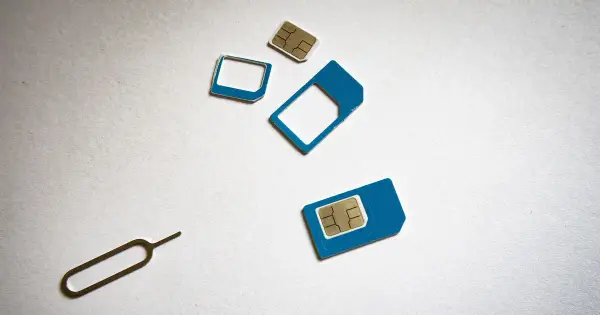
A carrier lock is a software setting in the phone. It tells the phone to only accept SIM cards from one carrier. If you insert a SIM from another network, the phone says something like “SIM not supported” or asks for an unlock code.
The phone itself is fine. The lock is a rule, not a hardware fault.
Why carriers lock phones
Carriers often sell phones at a lower price, or let you pay in monthly installments. The lock helps make sure the phone stays on their network until it is paid off. Prepaid carriers sometimes lock phones to protect the discount they gave on the device.
That is the main reason. It is a business rule more than a technical one. The lock also helps carriers reduce theft of phones that were sold on easy terms, although it is not a full protection.
What the lock does not do
- It does not stop the phone from working on Wi-Fi.
- It does not stop you from using the phone for photos, apps and music.
- It does not change who owns the phone.
Some people mix this up with other locks. A carrier lock is different from:
- Screen lock. The passcode or fingerprint on your phone.
- Activation Lock or FRP. Account protection on iPhone and Android, which ties the phone to the owner’s account. We do not remove these locks and we do not promise to.
- MDM. A lock set by a company or school that manages the phone. We do not remove it.
- Blacklist. A block placed on the IMEI after a loss or theft report. See our guide on blacklisted iPhones.
Why you might want to unlock
- You are switching carriers and want to keep your phone.
- You travel and want a local SIM. See unlocking before you travel.
- You are selling the phone. Unlocked phones are easier to sell.
- You bought a used phone that is still locked.
How to get it unlocked
- Check if it is already unlocked. See our guide on checking if your phone is unlocked.
- Ask your carrier. Carriers usually unlock when the phone is paid off, the account is in good standing and the phone has been active for a minimum time. Check your carrier’s current policy at the official page: AT&T, T-Mobile or Verizon. It is often free.
- Use a paid unlock if the carrier route is closed. For example, you left the carrier or bought the phone used. Our tool checks eligibility first and shows the price and delivery time. You get a full refund if it fails.
Is it legal?
For a phone you own, yes. Read more in is it legal to unlock your phone.
What happens after an unlock
The phone accepts SIM cards from other carriers. On some phones you need to restart. Your data stays in place. Keeping a backup is still wise before any phone change.
Summary
A carrier lock ties your phone to one network, mostly so the carrier can recover the phone’s cost. You can usually get it removed, and often for free. Ask your carrier first, and use a paid service only if you need to.
Related guides
Unlocking
What happens to my phone when I unlock it?
What a carrier unlock changes, what it leaves alone, and what you might notice afterwards. Plain answers from the repair bench.
| 4 min read
Unlocking
How to find your IMEI on any phone
Every way to find the IMEI number on an iPhone, Android phone or tablet, even when the screen does not work.
| 3 min read
Unlocking
How to check if your phone is already unlocked
Three simple ways to find out if your phone is carrier unlocked: the settings, a SIM test, and an IMEI check.
| 3 min read