Unlocking before travelling abroad: SIM and eSIM basics
How to use local SIM cards or an eSIM when you travel, why your phone needs to be unlocked, and what to check before you leave.
By Peter | Published | Last updated | 3 min read

Roaming with your home carrier can be convenient. It can also be expensive, depending on your plan. Many travellers use a local SIM or an eSIM instead. For that, your phone must be unlocked. Here is how it works.
Why unlocked matters
A locked phone accepts SIM cards only from its carrier. If you land in another country and insert a local SIM, the phone will refuse it. An unlocked phone accepts SIM cards from any carrier, as long as the phone supports that network.
Some carriers have travel plans that work on a locked phone. Check your carrier’s current policy and plans. If you want a local plan, unlock first.
Check your phone before you leave
- Is it unlocked? Follow the steps in our guide on checking if your phone is already unlocked. A SIM test with a different carrier is the clearest check.
- Is it paid off? Most carriers will not unlock a phone with a balance. Check your carrier’s current policy.
- Does the phone support the local network? Phones support different radio bands. Most modern phones work in many countries, but check the specifications for the phone model and the destination.
Ask your carrier early
Unlock requests can take time. Do not wait until the day before your flight. Official pages: AT&T, T-Mobile, Verizon. Unlocking through your carrier is often free if you qualify.
If you cannot get the carrier to do it, or you already left the carrier, a paid unlock for eligible phones is an option. We show eligibility, price and delivery time before you pay, and refund you in full if it fails. Allow plenty of time before you leave.
SIM or eSIM?
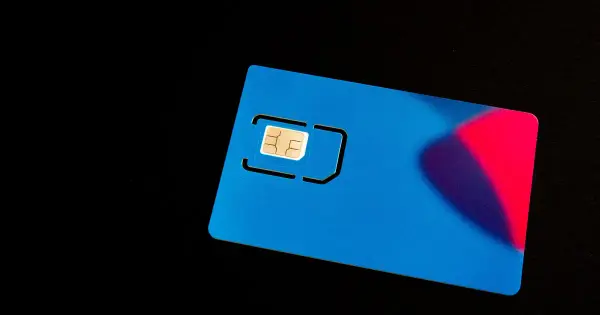
Physical SIM. A small card you insert. You can buy local ones at airports, shops or kiosks in many countries. You swap out your home SIM, so keep it safe. You will not get calls on your home number while it is out, unless you have a second slot.
eSIM. A digital SIM you install by scanning a QR code or using an app. You can have more than one eSIM on a supported phone and keep your home SIM active at the same time. Not every phone supports eSIM, and not every eSIM plan supports every phone. The phone must be unlocked to use an eSIM from a different carrier.
We do not sell eSIM plans and we do not recommend one provider. Read the terms of any plan before you buy it, and check that your phone model is supported.
Tips
- Install the eSIM before you travel, when you have a stable internet connection, if the provider allows it.
- Turn off data roaming on your home line if you only want to use the local plan.
- Know your home number. You might need it for text codes from your bank. Keep the home SIM active or use Wi-Fi calling if your carrier supports it.
- Back up your phone before you swap SIM cards or change settings.
- Keep your IMEI somewhere safe, in case you need to report a lost phone. See how to find your IMEI.
What an unlock will not do
A carrier unlock removes only the network lock. It does not fix a phone that is blacklisted, and it does not remove iCloud, Activation Lock, FRP, MDM or Google account locks. We do not unlock lost or stolen phones.
When you come home
An unlocked phone also works with your home carrier. You can put your home SIM back in and carry on.
Summary
For a local SIM or eSIM, your phone needs to be unlocked and paid off. Check early, ask your carrier first, and allow time. If the carrier route is closed, a paid unlock for an eligible phone can help.
Related guides
Travel
Unlocking before traveling abroad: a checklist and timeline
When to start, what to check and what to pack, so your phone works with a local SIM or eSIM when you land.
| 4 min read
Travel
eSIM vs physical SIM after unlocking
Your phone is unlocked. Should you use an eSIM or a physical SIM card? How each one works, the pros and cons, and how to switch.
| 3 min read
Buying used phones
How to check if a used phone is financed
A phone that is still being paid off can cause trouble for the next owner. Here is how to spot it before you buy, and what to ask the seller.
| 4 min read