How to find your IMEI on any phone
Every way to find the IMEI number on an iPhone, Android phone or tablet, even when the screen does not work.
By Peter | Published | Last updated | 3 min read
The IMEI is a unique number that identifies your phone. You need it to check a phone, ask a carrier for an unlock, or report a phone lost. Here are all the ways to find it.
What is an IMEI?
IMEI stands for International Mobile Equipment Identity. It is usually 15 digits long. Think of it like a serial number for the phone’s cellular radio. Phones with two SIM slots have two IMEI numbers, one for each slot. For an unlock or a check, use the first one unless told otherwise.
The fastest way: dial *#06#
Open the phone app and dial *#06#. The IMEI shows on the screen right away, with no need to press call. This works on iPhones and nearly all Android phones. Take a screenshot or write it down.
On an iPhone
- Settings. Open Settings, then General, then About. Scroll down to find IMEI.
- Tap and hold. In the About screen, tap and hold the number to copy it.
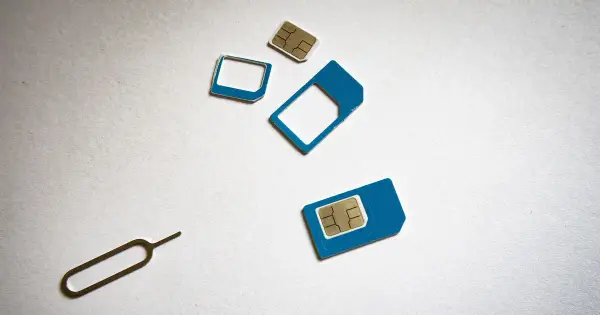
- SIM tray. On some models the IMEI is printed on the SIM tray. Pop it out with the tool and look.
- Back of the phone. Older iPhones have it engraved on the back, in small text.
- Original box. The label on the box shows it.
If your iPhone is lost or will not turn on, you can sign in to your Apple account on the web and look at the device list. Check the manufacturer’s support for the current steps.
On an Android phone
- Settings. Go to Settings, then About phone. Look for IMEI. Some brands put it under Status or Status information.
- Battery slot. On older phones with a removable battery, it is printed under the battery.
- SIM tray or back. Many phones print it there.
- Box and receipt. The box label, and sometimes your purchase receipt, list it.
- Your Google account. The device list in your account may show the IMEI for phones you have signed in to.
On a tablet or a watch
Cellular tablets and watches have an IMEI too. Look in Settings, then About, or check the box and the back of the device.
Check that it is valid
An IMEI has a built in check digit. Our IMEI field tells you right away if a number looks mistyped. Common mistakes are swapped digits and a missing digit. If you copy the number from a screenshot, check every digit.
Be careful when buying used
Always get the IMEI from the phone itself, by dialing *#06#. Do not rely on a screenshot or a photo of the box from the seller. Compare the number on the screen, in settings and on the tray. If they do not match, walk away. See our used phone checklist.
What you can do with the IMEI
- Run a free check for the model and carrier lock status.
- Run a full report to look for a blacklist flag, before you buy a used phone.
- Ask your carrier to unlock the phone. Check your carrier’s current policy first.
- Report the phone lost or stolen, if that happens.
Privacy note
When you enter an IMEI on our site we log it, as explained in our privacy policy. It is encrypted at rest. Do not share your IMEI publicly or post it in comments, since someone could try to misuse it.
Summary
Dial *#06#. If that fails, use Settings, the SIM tray, the back of the phone or the box. For a used phone, always read the number from the phone itself.
Related guides
Unlocking
What happens to my phone when I unlock it?
What a carrier unlock changes, what it leaves alone, and what you might notice afterwards. Plain answers from the repair bench.
| 4 min read
Unlocking
What does carrier locked mean, and why do carriers lock phones?
A plain explanation of carrier locked phones, why carriers do it, what a lock does and does not do, and how to get out of it.
| 3 min read
Unlocking
How to check if your phone is already unlocked
Three simple ways to find out if your phone is carrier unlocked: the settings, a SIM test, and an IMEI check.
| 3 min read